
[EN] APN Configuration (required on Android)
Symptoms: Connected to the network but no internet access.
⚠️ The location of these settings may vary slightly depending on your phone model or Android version.
1. Go to Connection settings:
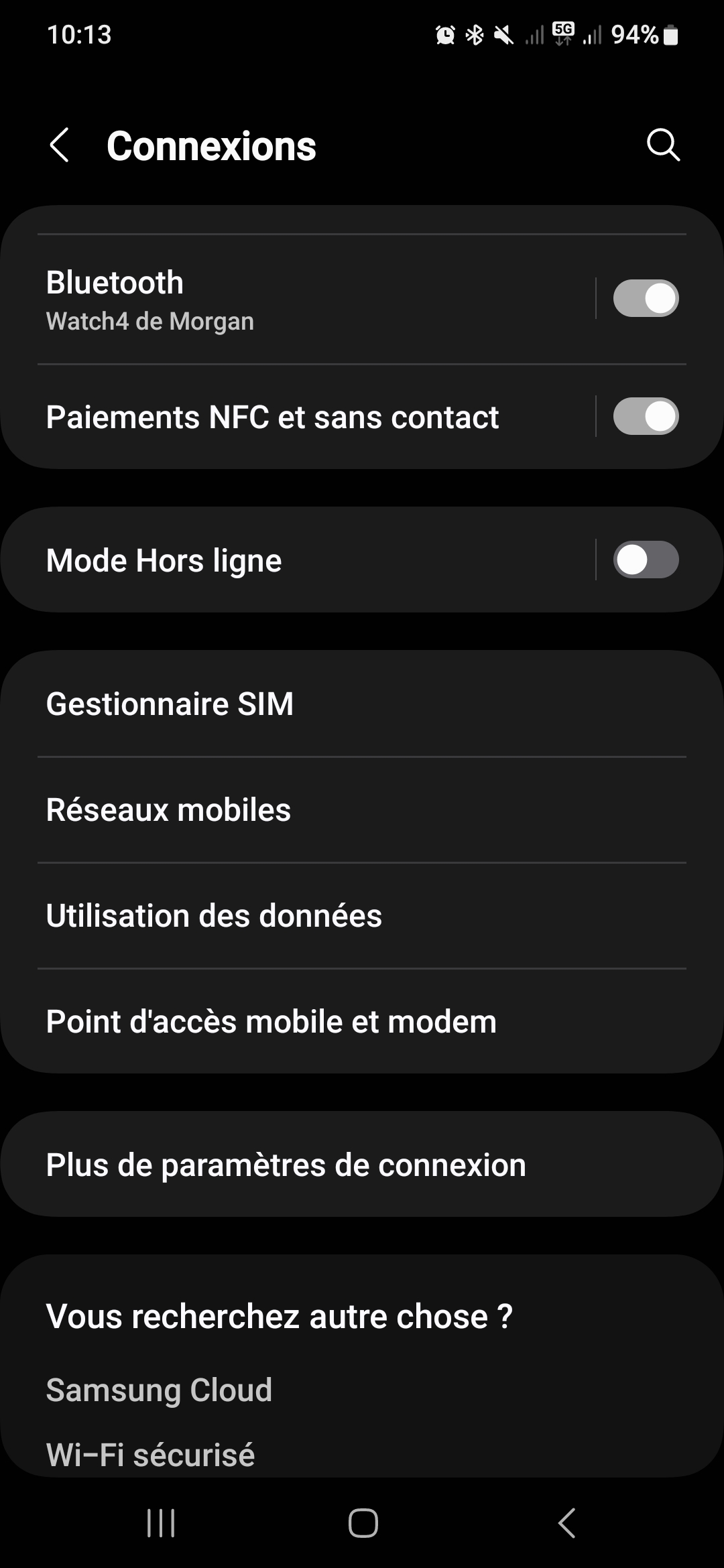
Then go to "Mobile networks"
2. Go to APN settings:
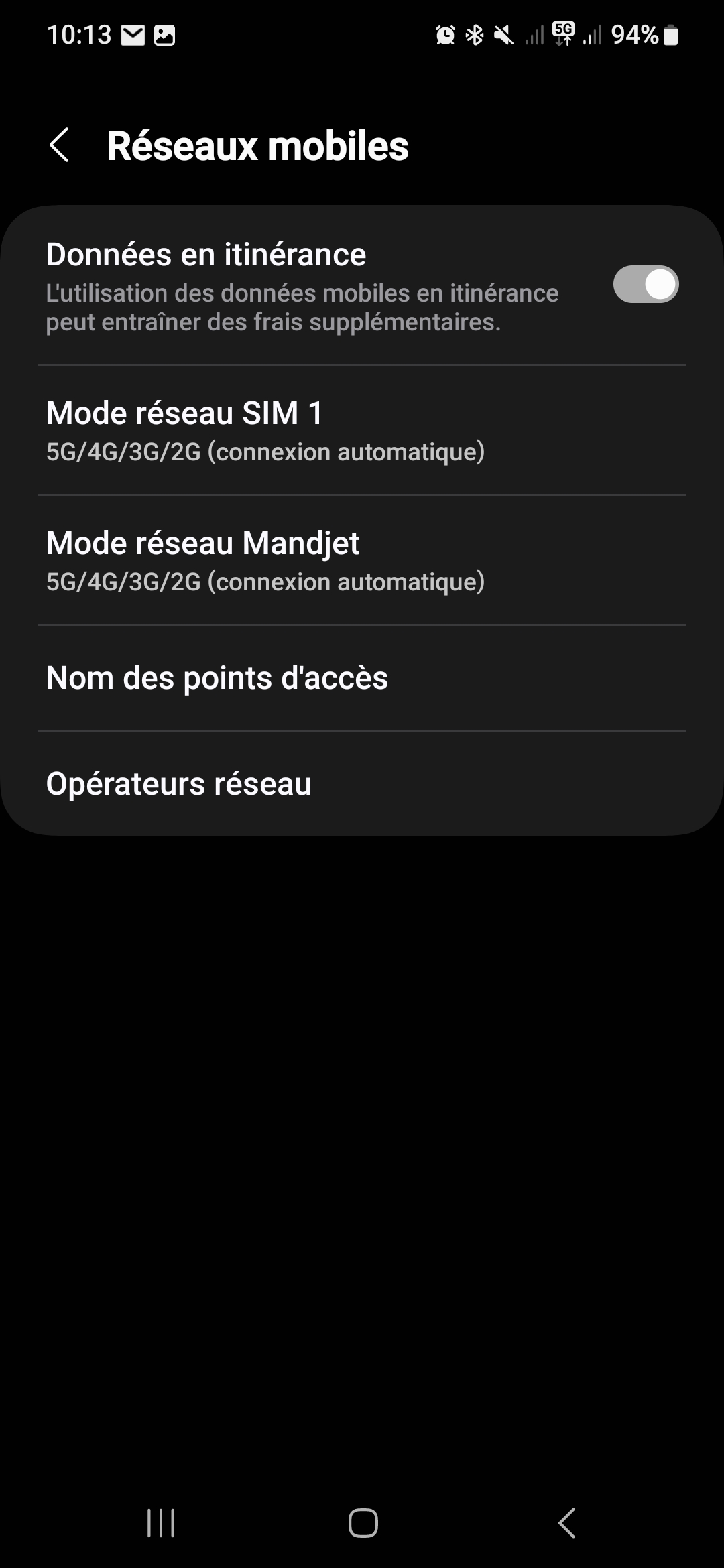
Then tap on "Access Point Names"
3. Enter the following APN settings:
| APN Name | default |
| APN | default |
| APN Type | default |
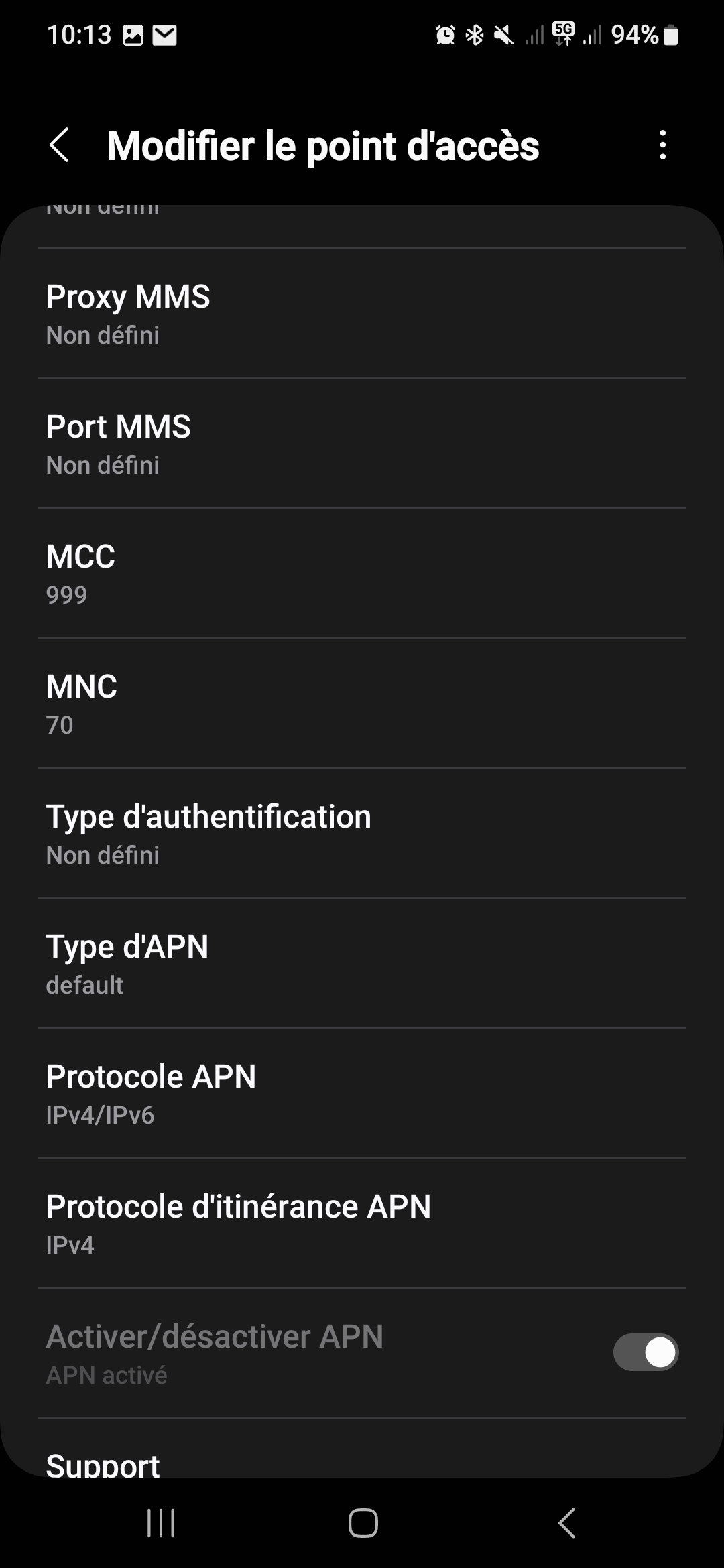 |
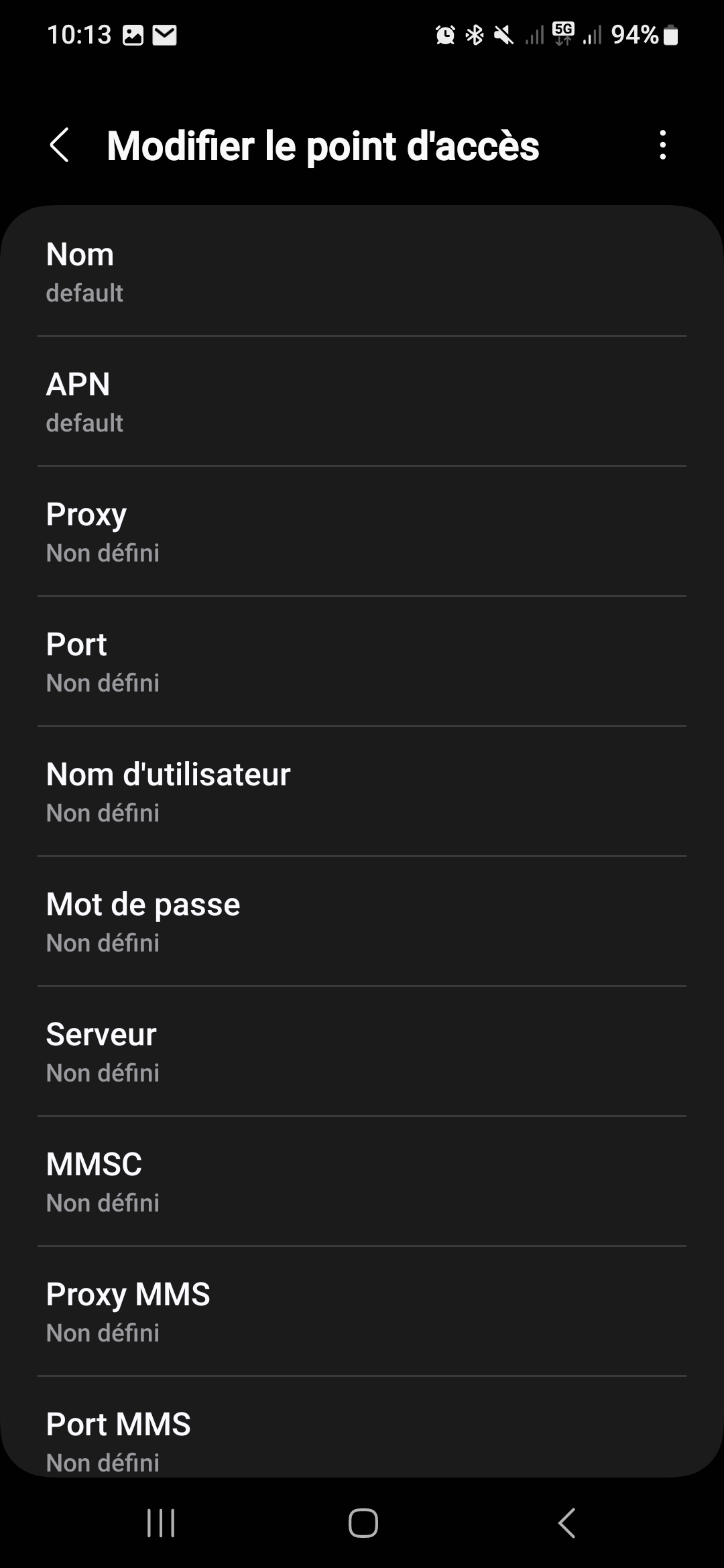 |
No comments to display
No comments to display